


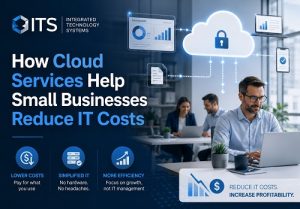
 Small businesses need reliable technology, but maintaining servers, software, security tools, and internal IT systems can become expensive. Cloud services help companies control these expenses by replacing costly onsite infrastructure with flexible technology resources delivered through the internet.
Integrated Technology Systems helps small businesses choose and manage cloud platforms that support daily operations without creating unnecessary complexity. The right cloud strategy can reduce hardware costs, improve productivity, strengthen data protection, and make technology spending easier to predict.
What Are Cloud Services?
Cloud services allow businesses to access computing resources through secure online platforms instead of relying entirely on equipment located inside the office. These resources may include data storage, business applications, virtual servers, email systems, backup tools, and cybersecurity solutions.
Common examples include:
- Cloud-based file storage
- Microsoft 365 and other productivity platforms
- Hosted email services
- Cloud data backup
- Virtual servers
- Customer relationship management software
- Cloud-based accounting programs
- Remote collaboration tools
Businesses usually pay for these resources through a monthly or annual subscription. This approach allows them to use the technology they need without purchasing and maintaining every system themselves.
Cloud Services Reduce Hardware Expenses
Traditional business technology often requires a significant upfront investment. A company may need to purchase servers, storage devices, backup equipment, networking hardware, and software licenses before employees can begin using the system.
Cloud-based technology reduces the need for much of this equipment. Applications, files, and computing resources can operate in secure data centers managed by the cloud provider.
Small businesses may avoid or reduce expenses related to:
- Server purchases
- Hardware installation
- Equipment repairs
- Server room maintenance
- Cooling and electricity
- Hardware replacement
- Physical storage expansion
The business can redirect this money toward growth, staffing, marketing, or customer service.
Predictable Monthly Technology Costs
Unexpected IT expenses can disrupt a small business budget. A failed server, damaged storage device, or outdated software system may require an immediate and costly replacement.
Cloud subscriptions make many technology costs more predictable. Businesses typically pay a set amount based on the number of users, storage capacity, applications, or computing resources they use.
Predictable pricing helps business owners:
- Build more accurate budgets
- Reduce surprise repair costs
- Plan technology upgrades
- Track expenses by department
- Adjust services as staffing changes
Integrated Technology Systems can help businesses compare plans and avoid paying for features they do not need.
Business Cloud Solutions Reduce Software Costs
Traditional software often requires individual licenses, manual installations, and periodic upgrades. The company may also need to pay an IT professional to install patches and troubleshoot compatibility problems.
Many business cloud solutions include automatic updates as part of the subscription. Employees can use the latest version without purchasing a separate upgrade each time the provider releases new features.
Centralized software management also makes it easier to add or remove users. This flexibility can lower licensing costs and reduce the time required to manage employee accounts.
Less Maintenance for Internal IT Systems
Onsite technology requires regular maintenance. Servers need updates, storage devices must be monitored, backups need testing, and security systems require ongoing attention.
Cloud providers manage much of the underlying infrastructure. They maintain physical equipment, replace failed components, monitor systems, and install platform updates.
This does not eliminate the need for professional IT support. However, it reduces the amount of time spent repairing physical infrastructure and allows IT professionals to focus on business priorities, user support, cybersecurity, and long-term planning.
Lower Data Backup and Recovery Costs
Data loss can result from hardware failure, employee mistakes, cyberattacks, power outages, or natural disasters. Small businesses may struggle to recover when their only backup is stored on a device inside the office.
Cloud backup automatically copies business data to an offsite location. This approach reduces the need to purchase and maintain multiple physical backup systems.
Cloud-based backup may also provide:
- Scheduled automatic backups
- Encrypted data storage
- Multiple recovery points
- Offsite protection
- Faster file restoration
- Backup monitoring and alerts
A structured backup system can reduce downtime and help prevent the high financial cost of permanent data loss.
Cloud Services Support Remote and Hybrid Work
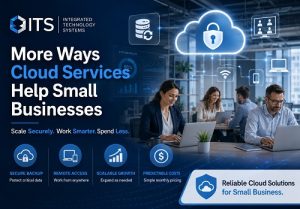 Remote work can create additional technology expenses when businesses rely on onsite systems. Employees may need special equipment or complicated connections to access office files and applications.
Cloud services allow authorized users to reach business resources from approved devices and locations. Employees can communicate, share documents, update projects, and access applications without remaining connected to a single office computer.
This flexibility can reduce costs associated with:
- Office space
- Employee travel
- Physical document storage
- Onsite workstations
- Manual file transfers
- Separate communication systems
Cloud-based collaboration also helps teams complete work faster, which can improve overall productivity.
Easier Growth Without Major IT Purchases
A growing company may quickly outgrow its current server, storage system, or software plan. Expanding traditional infrastructure often requires another large hardware investment.
Cloud platforms allow businesses to increase or decrease resources as their needs change. A company may add storage, licenses, processing power, or user accounts without replacing its entire technology environment.
This scalability is valuable for businesses that experience seasonal demand, rapid growth, temporary staffing increases, or changing customer needs. The company pays for the capacity it requires instead of purchasing equipment based on uncertain future demand.
Reduced Downtime and Business Disruption
Technology downtime can lead to lost sales, missed deadlines, frustrated customers, and reduced employee productivity. Small businesses may not have spare servers or redundant systems available when equipment fails.
Many cloud platforms include built-in redundancy. Data and applications may run across multiple systems, reducing the chance that one hardware failure will stop the entire service.
Reliable cloud access can help employees continue working during:
- Equipment failures
- Office power outages
- Building closures
- Local network problems
- Severe weather
- Unexpected remote-work situations
The exact level of availability depends on the provider and service plan. Businesses should review uptime commitments and recovery procedures before selecting a platform.
Stronger Security Without Building Everything In-House
Developing a complete cybersecurity system can be expensive. Small businesses may need firewalls, antivirus protection, email security, identity management, encryption, backup systems, monitoring tools, and security specialists.
Reputable cloud providers often include several security features within their platforms. These features may include encryption, threat monitoring, access controls, multifactor authentication, and automatic security updates.
However, moving to the cloud does not automatically secure every account or device. Businesses still need strong passwords, employee training, proper permissions, endpoint protection, and professional monitoring.
Integrated Technology Systems can help configure business cloud solutions correctly and close security gaps that may expose company data.
How to Avoid Overspending on Cloud Technology
Cloud platforms can save money, but poorly managed subscriptions may create unnecessary costs. Businesses sometimes continue paying for inactive user accounts, unused applications, duplicate storage platforms, or oversized service plans.
A regular cloud review should identify:
- Unused licenses
- Former employee accounts
- Duplicate applications
- Excess storage
- Unnecessary premium features
- Outdated security settings
- Services that no longer support business goals
A managed IT provider can review cloud usage and recommend changes that reduce waste without limiting productivity.
Choosing the Right Cloud Services for Your Business
The lowest-priced platform is not always the most cost-effective option. Business owners should evaluate security, reliability, support, compatibility, scalability, and long-term operating costs.
Before selecting a cloud solution, consider:
- Which applications employees use every day
- How much storage the business needs
- Whether employees work remotely
- Which compliance requirements apply
- How quickly data must be restored
- Which systems must remain available
- How the platform integrates with current technology
A carefully planned migration can prevent downtime, data loss, account problems, and unexpected subscription fees.
Reduce IT Costs with Integrated Technology Systems
Cloud services give small businesses access to powerful technology without the cost of building and maintaining every system onsite. They can reduce hardware spending, simplify software management, support remote employees, improve data backup, and create predictable monthly expenses.
Integrated Technology Systems helps businesses evaluate, implement, secure, and manage cloud environments based on their actual needs. Contact Integrated Technology Systems to learn how a customized cloud strategy can lower IT costs while improving reliability, security, and productivity.
Integrated Technology Systems
6 East 45th Street, Suite 400
New York, NY 10017
212-750-5420
https://www.itsnyc.com


