


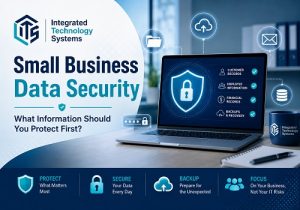
 If your business were breached tomorrow, do you know which information would cause the biggest problem if it were stolen or lost?
Small business data security starts with knowing which information would cause the greatest damage if it were stolen, deleted, exposed, or made unavailable. Small businesses often collect far more sensitive information than they realize, from customer contact details and financial records to employee documents, passwords, email accounts, and cloud-based files.
Instead of trying to protect every system in exactly the same way, businesses should first identify their most valuable and sensitive data. From there, they can prioritize security controls based on the potential financial, operational, and reputational impact of a breach.
Start With Customer Records
Customer information is often one of the most valuable assets a business holds. Depending on the company, records may include names, addresses, phone numbers, email addresses, payment information, account details, purchase histories, or confidential communications.
Strong customer data security should include limiting access to employees who actually need the information. Businesses should also use multi-factor authentication, encryption, secure applications, and regular reviews of who can access customer databases.
If customer information is stored in multiple locations, including laptops, cloud platforms, and third-party software, each location should be included in the company’s security plan.
Protect Employee and Financial Information
Employee records can contain Social Security numbers, payroll details, tax forms, bank information, health benefit documents, and other sensitive personal information. Access to these records should be restricted to authorized staff and secured with strong authentication.
Financial information also deserves high priority. Accounting systems, bank accounts, invoices, tax documents, credit card information, and vendor payment records can all be targeted by cybercriminals.
Good business data protection means separating sensitive financial systems from general employee access whenever possible. Businesses should also monitor accounts for unusual activity and establish procedures for verifying payment changes or wire transfer requests.
Small Business Data Security Must Include Email
Email accounts can provide attackers with access to far more than messages. A compromised business email account may expose customer conversations, invoices, passwords, cloud file links, calendars, contacts, and financial information.
Multi-factor authentication should be enabled on business email whenever available. Employees should also receive training on phishing, fake login pages, suspicious attachments, and fraudulent payment requests.
Monitoring can help identify unusual login locations, repeated failed login attempts, mailbox forwarding rules, or other activity that may indicate an account has been compromised.
Do Not Overlook Cloud Files and Passwords
Businesses increasingly store contracts, proposals, spreadsheets, customer files, project documents, and internal records in cloud platforms. Cloud storage can improve accessibility, but permissions must be configured correctly.
Employees should only have access to the files required for their responsibilities. When someone changes roles or leaves the company, access should be updated quickly.
Passwords should never be shared through email, spreadsheets, or unsecured documents. A business password manager can help employees create and store strong, unique passwords while reducing password reuse.
Protect Intellectual Property
Not every valuable file contains personal or financial information. Intellectual property can be just as important.
This may include
- business plans
- proprietary processes
- designs
- pricing strategies
- source code
- contracts
- marketing plans
- client lists
- research
Other information that gives the company a competitive advantage.
Businesses should determine where this information is stored, who has access to it, and whether files are appropriately encrypted and backed up.
Backups Are Part of Small Business Data Security
Security is not only about preventing unauthorized access. Businesses also need to prepare for ransomware, hardware failure, accidental deletion, software problems, and other disruptions.
A reliable data backup strategy should include regular backups of critical information and systems. At least one backup should be protected from changes made to the primary network so that ransomware or accidental deletion does not affect every copy.
Backups should also be tested. A backup that cannot be restored when needed provides little protection.
How an IT Provider Can Help Prioritize Risk
Effective cybersecurity for small business begins with understanding where important information is located and how it is currently protected.
An experienced IT provider can help a business inventory its data, review user access, identify weak authentication, evaluate backup systems, examine cloud permissions, monitor suspicious activity, and recommend security improvements based on risk.
Integrated Technology Systems helps businesses take a practical approach to protecting information. Rather than applying security tools without a clear strategy, the goal is to identify which data matters most, understand how it could be exposed, and put the right protections in place first.
For small businesses, protecting data does not have to begin with a complicated security program. It begins by identifying the information the business cannot afford to lose, locking down access, training employees, maintaining reliable backups, and continuously watching for new risks.
Integrated Technology Systems
6 East 45th Street, Suite 400
New York, NY 10017
212-750-5420
https://www.itsnyc.com


