


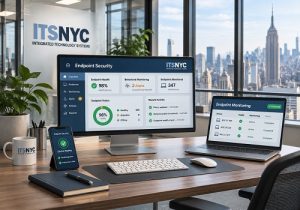
 Endpoint security protects business laptops, desktops, and mobile devices from cyber threats by monitoring activity, detecting suspicious behavior, and helping stop attacks before they spread across a company network. For small and medium size businesses, endpoint protection is essential because employees frequently work from offices, home locations, and public networks.
A single compromised laptop can expose customer information, interrupt operations, or give attackers access to shared business systems. Integrated Technology Systems (ITS) helps businesses understand these risks and implement security measures that protect their devices and sensitive information.
What Is Endpoint Security, and Why Does It Matter?
An endpoint is any device that connects to a business network or accesses company resources. Common examples include:
- Desktop computers used in offices
- Laptops used by remote and hybrid employees
- Smartphones accessing business email
- Tablets used for customer service or field operations
- Workstations connected to cloud applications
Each connected device creates a potential entry point for cybercriminals.
For example, an employee might unknowingly download a malicious attachment. Without appropriate protection, that file could steal credentials, install ransomware, or attempt to access other systems.
Modern security solutions help businesses identify these threats before they cause widespread damage.
Traditional Antivirus vs. EDR: What's the Difference?
Traditional antivirus software primarily identifies known malware through signatures, file scanning, and other detection methods. Modern antivirus products may also use behavioral analysis, but their capabilities vary.
Endpoint Detection and Response (EDR) provides additional visibility into device activity and supports investigation and response when suspicious behavior occurs.
| Traditional Antivirus | EDR |
| Focuses on malware prevention and detection | Focuses on threat detection, investigation, and response |
| Commonly uses signatures and heuristic scanning | Analyzes device activity and behavioral patterns |
| Can block or quarantine malicious files | Can support investigation and containment of compromised devices |
| Typically provides basic threat alerts | Provides detailed activity records and response capabilities |
EDR does not automatically replace every other security tool. Many businesses benefit from combining prevention, monitoring, and professional security management.
Integrated Technology Systems can help organizations evaluate which approach fits their technology environment and risk exposure.
How Does Endpoint Security Detect Suspicious Behavior?
Cybercriminals increasingly use techniques that traditional malware scanning may not recognize immediately.
Behavioral monitoring looks for unusual activities that could indicate an attack.
Examples include:
- A program attempting to encrypt hundreds of files unexpectedly
- An unfamiliar application launching suspicious system commands
- A device connecting to known malicious infrastructure
- Unauthorized attempts to access sensitive files
- Unusual processes attempting to steal stored credentials
An EDR platform can collect activity information, correlate events, and generate alerts when patterns suggest malicious behavior.
However, not every alert represents an actual attack. Experienced IT professionals must investigate suspicious activity and determine the appropriate response.
How Can Device Isolation Prevent a Cyberattack From Spreading?
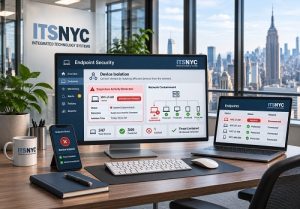 Device isolation is an important incident-response capability available in many EDR platforms.
When a laptop or desktop appears compromised, authorized security personnel may isolate it from most network connections while preserving limited communication with the security management platform.
This can help prevent attackers from accessing shared folders, communicating with other devices, or spreading ransomware.
Isolation also gives technicians time to investigate, remove malicious software, and determine whether the device can safely reconnect.
Although isolation may temporarily interrupt an employee's work, it can significantly reduce the potential impact of an active attack.
A Realistic Office Cybersecurity Scenario
Imagine an accounting firm with 25 employees. Staff members use office desktops, company laptops, and smartphones to access financial records and cloud applications.
One afternoon, an employee opens a convincing email attachment that appears to come from a familiar vendor.
The attachment launches a suspicious process and attempts to access shared financial documents.
An EDR platform detects the unusual behavior and alerts the firm's managed IT provider.
The security team investigates the alert and isolates the affected laptop. Technicians examine the activity, remove the threat, and verify whether other devices were affected.
Meanwhile, the remaining employees continue working.
This hypothetical scenario demonstrates how early detection and rapid containment can reduce business disruption. Actual results depend on the attack, security configuration, and response time.
Frequently Asked Questions About Endpoint Protection
- Do small businesses need endpoint security?
Yes. Small businesses face threats such as ransomware, phishing, and credential theft. Appropriate protection helps reduce exposure across company devices.
- Is EDR better than antivirus?
EDR offers broader investigation and response capabilities. Antivirus remains useful for malware prevention, and the two technologies often work together.
- Can mobile devices receive endpoint protection?
Yes. Mobile threat defense and mobile device management solutions can help protect supported smartphones and tablets, although their capabilities differ from desktop EDR.
- What happens when a device is isolated?
The affected device loses most network access while security personnel investigate. Authorized technicians can restore connectivity when appropriate.
- Does endpoint security stop every cyberattack?
No. Businesses also need employee training, multifactor authentication, software updates, reliable backups, and an incident-response plan.
Protect Your Business With Integrated Technology Systems
Business devices contain valuable information and provide access to essential operations. Effective protection requires more than installing antivirus software.
Integrated Technology Systems helps NYC businesses evaluate security risks, strengthen device protection, and develop practical cybersecurity strategies.
Today is the day to call ITS at 212-750-5420 to discuss an endpoint security assessment and learn how your business can better protect its laptops, desktops, and mobile devices.
Integrated Technology Systems
6 East 45th Street, Suite 400
New York, NY 10017
212-750-5420
https://www.itsnyc.com


