


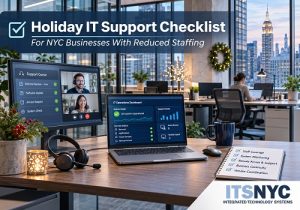
 The holiday season often brings reduced staffing, remote work, and shorter office hours. For most businesses, these changes can leave important technology systems without adequate oversight. A reliable holiday IT support plan helps businesses maintain operations, respond to technical problems, and protect access to essential systems when employees are away.
Integrated Technology Systems (ITS) helps businesses prepare for seasonal staffing changes by reviewing remote access, monitoring, backups, and emergency response procedures.
Why Do NYC Businesses Need a Holiday IT Support Plan?
When fewer employees are available, routine technical problems can become serious interruptions. A server outage, failed backup, or inaccessible application may delay customer service and daily operations.
Before holiday staffing begins, businesses should identify critical systems, assign IT responsibilities, and establish clear response procedures.
A practical checklist helps prevent confusion when technical assistance is needed.
- How Can Businesses Maintain Secure Remote Access?
Employees working from home or traveling need dependable access to company applications and files.
Remote access security should allow authorized employees to work without exposing sensitive business information.
Complete these checks before employees leave:
- Test VPN connections and remote desktop access.
- Verify multifactor authentication works correctly.
- Review access permissions for employees and contractors.
- Confirm laptops have current security updates.
- Establish procedures for reporting login problems.
Testing connections before the holidays helps businesses avoid unnecessary delays when employees need immediate access to company resources.
- Who Will Monitor IT Systems During Reduced Staffing?
Automated monitoring can detect technical problems, but alerts must reach someone responsible for responding.
Effective IT system monitoring helps identify server failures, network interruptions, storage issues, and unsuccessful backups.
Businesses should:
- Identify systems requiring continuous monitoring.
- Confirm alerts reach the appropriate IT personnel.
- Assign primary and backup responders.
- Establish priorities for critical and routine issues.
- Document escalation procedures for unresolved alerts.
For example, a Manhattan law office may receive a server storage warning while its office manager is away. An assigned IT technician can investigate before the problem affects document access.
- Who Should Employees Contact During an Emergency?
A holiday coverage plan needs updated contact information and clearly assigned responsibilities.
Create an emergency contact list that includes:
- Primary IT support contact.
- Backup IT technician or managed service provider.
- Business manager authorized to approve emergency work.
- Internet and cloud service providers.
- Building management for equipment room access.
Include after-hours contact methods and expected response procedures.
For NYC businesses operating in commercial buildings, verify that authorized technicians can access necessary equipment during reduced building hours.
- Are Backups Ready to Support Business Continuity?
Successful backups are essential, but businesses must also know whether data can be restored when needed.
A strong business continuity plan includes verified backups and documented recovery procedures.
Before the holiday break:
- Confirm scheduled backups are completing successfully.
- Verify coverage for critical files, servers, and databases.
- Test restoring selected files.
- Check backup storage capacity.
- Identify personnel authorized to initiate recovery.
- Document recovery priorities and expected restoration times.
These steps help businesses respond efficiently if essential information becomes unavailable.
- How Should Vendor Escalation Work During the Holidays?
Businesses often rely on several technology vendors for internet connections, cloud applications, phone systems, and network equipment.
When problems occur, determining which provider is responsible can delay repairs.
Prepare by:
- Updating vendor contact information.
- Confirming holiday and after-hours support availability.
- Reviewing service agreements and response expectations.
- Documenting procedures for escalating unresolved tickets.
- Identifying who can authorize emergency vendor services.
Clear vendor responsibilities help IT teams coordinate repairs without unnecessary delays.
- What Should Businesses Complete Before Employees Leave?
Schedule a final technology review before holiday staffing changes begin.
Confirm that remote connections work, monitoring alerts reach assigned responders, backups are recoverable, and emergency contacts are current.
Additionally, consider postponing nonessential system upgrades or major configuration changes until normal staffing resumes. This reduces the possibility of unexpected disruptions when technical resources are limited.
How Can ITS Help Businesses Prepare?
Planning holiday IT support in advance helps NYC businesses maintain reliable operations during reduced staffing periods.
Integrated Technology Systems (ITS) helps organizations review critical technology systems, identify coverage gaps, and develop practical procedures for monitoring, recovery, and emergency assistance.
Whether employees work remotely or offices operate with limited personnel, dependable IT coverage helps businesses remain productive throughout the holiday season.
Call ITS to prepare a holiday IT coverage plan. Make sure your business has the technical coverage, emergency contacts, and recovery procedures needed before holiday staffing changes begin.
Integrated Technology Systems
6 East 45th Street, Suite 400
New York, NY 10017
212-750-5420
https://www.itsnyc.com


